Using Write Back
This feature is available for OWC XP and 2003 only.
Please open OWC Version Selection dialog
to select the appropriate version.
- Make sure that the cube is enabled for Write-Back.
In the Analysis Manager, right click on the cube and select "Write-Enable…"
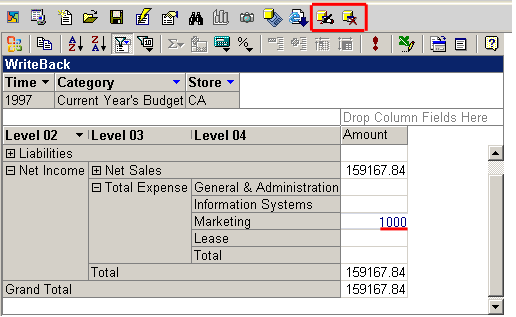
- Click on a cell you would like to update.
- Enter the new value. Click next cell. The value will be saved but not committed.
You can continue entering data into other cells.
- The toolbar will show two additional buttons: "Commit Changes" or "Abort".
- The "Abort" toolbar button will help you loose all changes.
- The "Commit Changes" toolbar button will commit all changes to the database.