Saving Disconnected Report
- Select an OWC report to disconnect. Make sure that the report uses Direct connection type.
Only dimensions that are present in rows, columns
or filters will be saved. Only non-calculated measures will be saved.
Only data restricted in the filter section will be saved. Only
levels that are selected in Rows and Column sections will be saved.
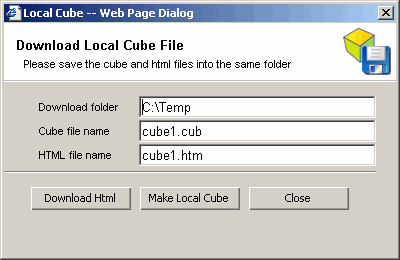
- Click the Click the Export > Local Cube. Local Cube Dialog will open.
- Enter the folder for the local cube file (*.cub) such as your desktop or c:\temp.
- Click Make Local Cube. The system will take some time to generate the cub file
depending on the size of selected data.
- Click the "Download Html" button to save the html file (*.htm) to the same local
folder as the cube file.
- Double click the saved html file to view the
disconnected report. The files should be distributed together in the same folder.