Printing a Report
- Zoom in or zoom out using the magnifying glass toolbar
button.
- Click the "Print Data" toolbar button.
- The Result table will be opened in a new browser
window and the print dialog box will be opened.
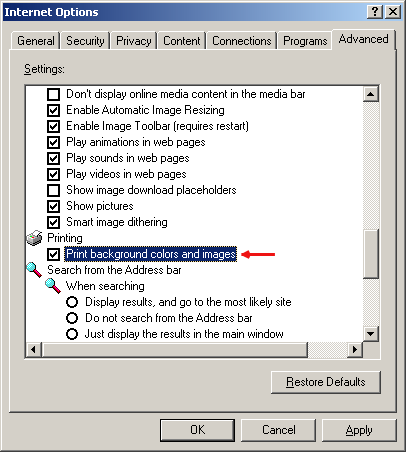
- Make Sure that "Print Background color and images" option is enabled. Go to
Tools> Internet Options... > Advanced Tab > Printing > Print Background color and images.