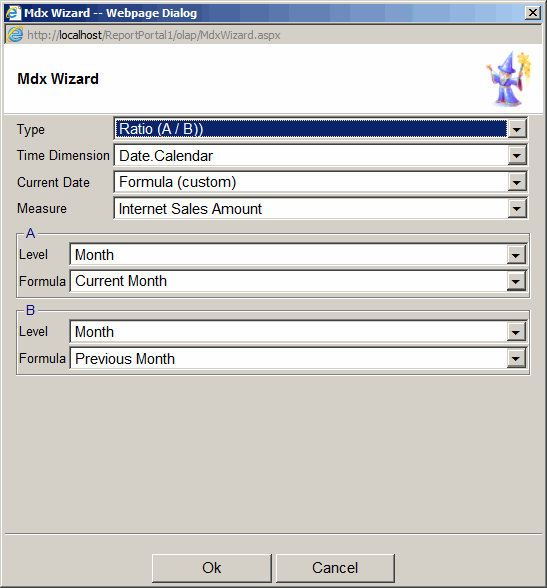
MDX Wizard
MDX Wizard simplifies the creation of time based calculations.
To add a calculated measure using MDX Wizard:
- Click the "Add Calculated Field" toolbar button and then click "MDX Wizard" button.
- Select Type
- Don't Compare - simple time calculations like: sales for the last month
- Ratio (A/B) - percent calculation that compares one time period to another.
For example, this month sales compared to the previous month.
- Growth (A-B) - the difference between two time periods.
For example, this month sales minus the previous month.
- Growth rate (A-B)/B percent calculation that compares one time period to another.
For example, this month sales minus the previous month all divided by the previous month.
- Time Dimension - select the Time Dimension hierarchy to be used in the calculation.
This list will show only show time hierarchies marked as such in SSAS.
To mark a dimension as Time dimension, move it to filter and
go to: Option > Dimension tab > "Time Dimension".
- Current Date - defines the meaning of Current Date
- Formula - use if "Current Date" is defined in Admin > Settings >
OLAP Report > Time Dimension - Current Date
- Current Member (in filters, rows or columns) -
use if Time Dimension is used in filters, rows or columns
- Measure - measure to be used in the calculation
- Level - Time Dimension level to be used in the calculation
- Formula - Time Dimension function to be used in the calculation
- Click OK