Saving a new report
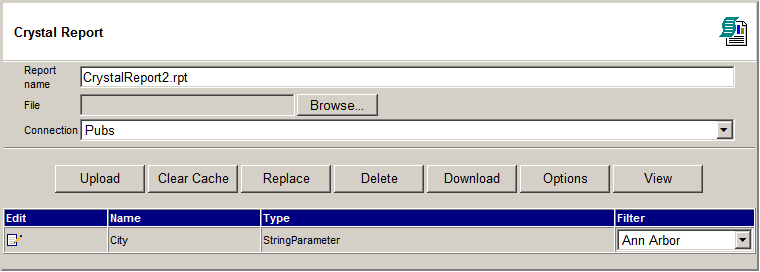
- Enter the report name
- Browse and select a Crystal report file (RPT) and click the "Upload"
button
- Select a connection. The connection can be setup on the Admin > Sql
Connections page.
Saving an existing report
- Select a report you would like to modify.
- Change the name of the report if needed.
- Browse and select a Crystal report file (RPT) and click the "Replace".