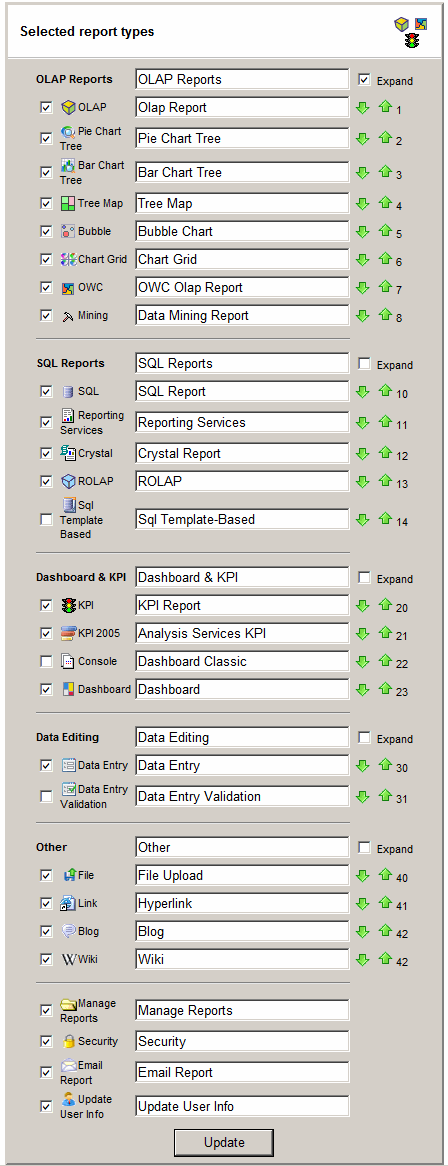
Selected Report Types
"Selected Report Types" administrative page lets you customize the design menu.
- Go to Admin > "Selected Report Types" to use this feature
- To enable a report type, check next to its name and click Update
- To have a report type "Folder" expanded, check next to Expand and click Update
- To change a report type name, change the name and click Update
- To move a report type up or down the design menu, click arrow up or arrow down icons