Themes and Styles administration
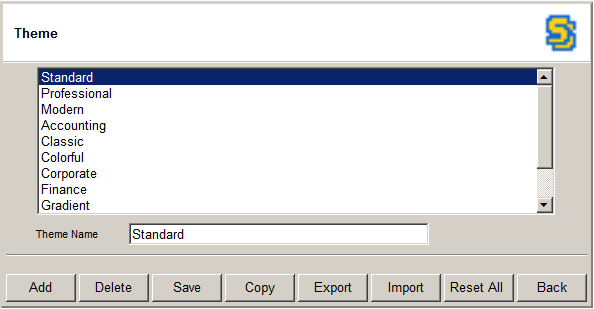
- Go to Admin > Themes and Styles > Edit button to get to this page.
- Click Add to add a new theme.
- Select a theme and click Delete to delete it.
- Select a theme, change Theme Name and click Save to change theme name.
- Select a theme, change Theme Name and click Copy to copy a theme.
- Select a theme and click Export to export it to a file.
- Click Import to import the theme from a file.
- Click Reset All to reset all themes to the default themes stored in C:\inetpub\wwwroot\ReportPortal\Themes.
- Click Back to go back to Styles.