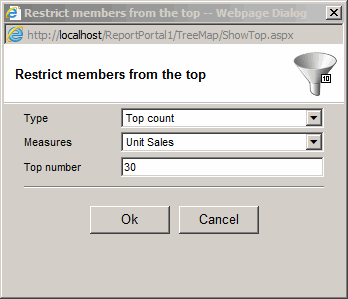
Restricting to top/bottom members
- Click the "Show Only Top" toolbar button.
- Select Type:
- Do not Restrict - remove all restrictions.
- Top count - select only a number of top records.
- Top percent - select only top percent of records.
- Top total - select only topmost records whose cumulative total is at least a specified value.
- Bottom count - select only a number of bottom records.
- Bottom percent - select only bottom percent of records.
- Bottom total - select only bottommost records whose sum is at least a specified value.
- Select Measure
- Select a number or a percent