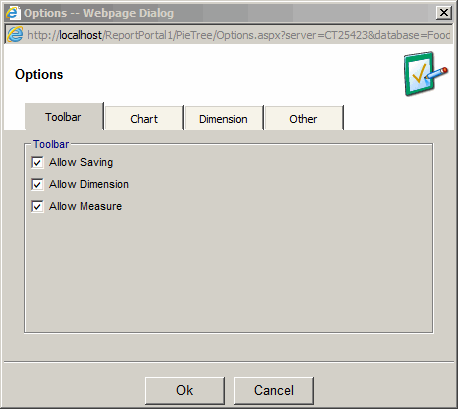
Report Options - Toolbar tab
Toolbar options for the view mode
- Allow Saving - will show the save toolbar button in the view mode
- Allow Dimension - will show Dimension dropdown in the view mode
- Allow Measure - will show Measure dropdown in the view mode
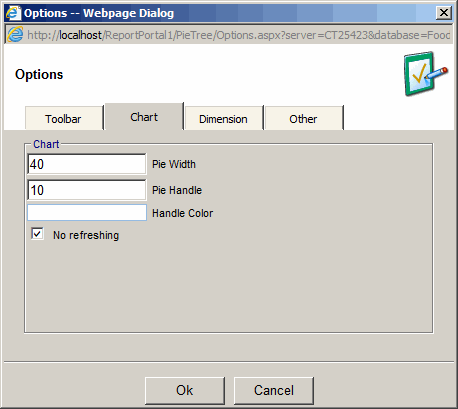
Report Options - Chart tab
- Pie Width - width of the pie in pixels
- Pie Handle - length of the pie handle in pixels
- Handle Color - color of the handle
- No Refreshing - refresh report date when the report is opened
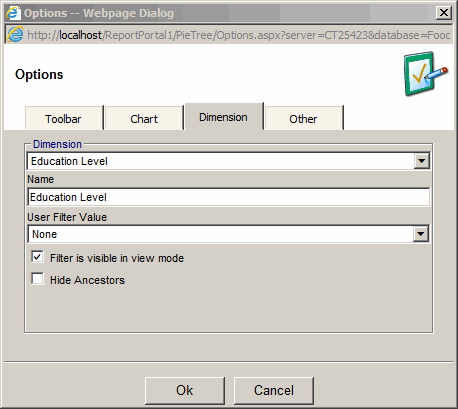
Report Options - Dimension tab
- Dimension - filter dimension to be used
- Name - alternative name for the dimension
- User Filter Value - User Filter Value to be used by the dimension
- Filter is visible in view mode - Uncheck to hide the filter in view mode
- Hide Ancestors - Check to hide parent members of the filter in view mode
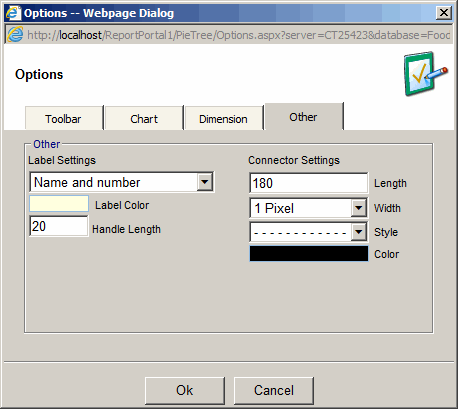
Report Options - Other tab
Label Settings:
- Label Settings
- No Labels - Text and number are not visible.
- Name Only - Number is not visible.
- Name and Percent of Pie - percent of entire Pie Chart.
- Name and Percent of Parent - percent of the parent slice.
- Name and Percent of total - percent of the cube total.
- Label Color - Color of label
- Handle Length - Length in pixels of the label handle.
Connection Settings:
- Length - length of the connector line.
- Width - pixel width of the connector line.
- Style - Dash, Dot and combination.
- Color - color of the connector line.