Saving report
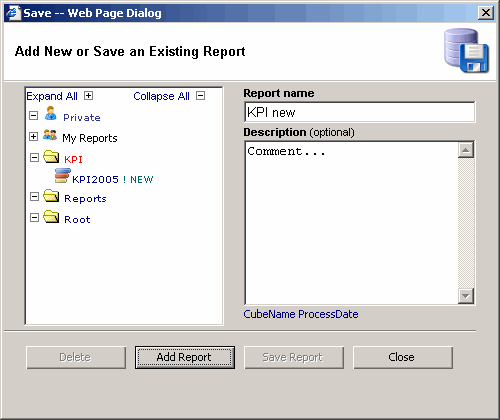
Save a new report
- Click the "Save" icon. The "Save" dialog will appear.
- Enter the name of the report.
- Enter the long report description if needed.
- Select a folder.
- Click the "Add Report" button.
Save an existing report
- Click the "Save" icon. The "Save" dialog will appear.
- Select a report you would like to modify.
- Change the name of the report if needed.
- Enter the long report description if needed.
- Click the "Save Report" button.