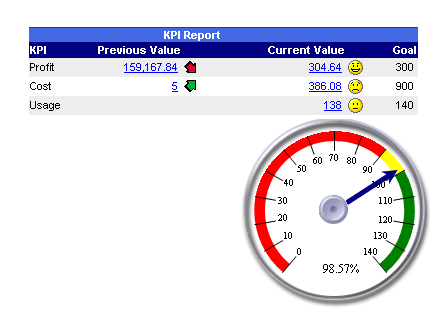

Key Performance Indicators (KPI) report is designed to show the current progress of a metric. For example, the KPI report below compares the current quarterly profit to the previous quarterly profit. The arrow up indicates that the profit went up this quarter. If a user moves the mouse over the arrow he will see the tool tip describing percent increase.
The report also shows how close the profit is to the set goal. The smiley face indicates that the user has reached the goal. The straight face indicates that the goal is within the reach and the sad face indicates that the user is falling behind.
When a user moves the mouse over the arrow she will see a graphical gauge describing how close he is to the goal.