Data Entry Validation
Data Entry Validation provides a way to identify and fix records that don't match. This can be usefull to:
-
There are cases when data needs to be entered twice for accuracy.
The data can be entered in one of two tables used by "dual data entry" forms or into a third table.
-
Compare the differences between the source and the destination table in an ETL process.
Some ETL processes extract data from a remote location and place it into a centralized location.
As the source table gets updated users might need to know how out of synch the data is.
The Data Validation report shows the out of synch records and fields that do not match.
Note that both forms have to be based on the same connection.
Thus, for this setup to work, a linked server has to be setup from the designation server to the source server.
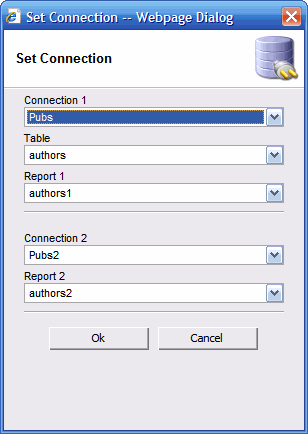
The first step is to set up the connection.
In addition to selection the table for storing the updated data, you need to pick two forms.
Note that the table used for storing the updated data can be the same as used by form 1 or form 2.
In this case, the data will be updated and not inserted into the table.
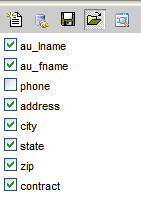
After the connection is set you have to select the columns used for comparison.
When the values in the compared columns does not match, the record will me picked for validation.