
Many-to-Many relationships
Many-to-Many relationships provides:
- Ability to setup a relationship to a cross reference table.
- Ability to specify the type of control used for the relationship. The available types are:
- Selected-Available List
- Checkbox List - useful for smaller lists
- Checkbox Dropdown - same as Checkbox List but takes less space on the screen
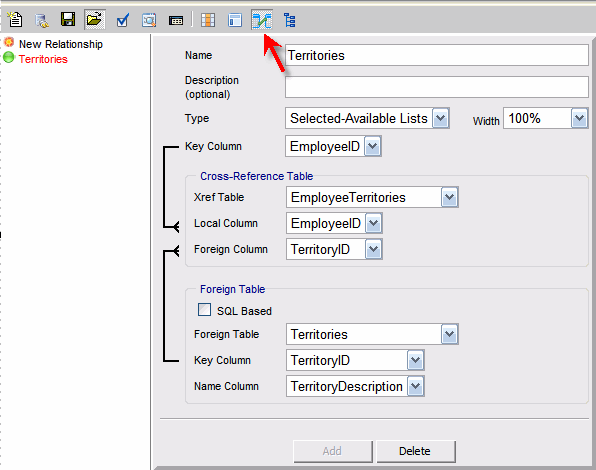
To create a new relationship:
- Enter the name of the relationship
- Select a cross-reference table
- Select a foreign table
- Select columns that link tables together
- Click "Add"
The available items can be based directly on foreign table or filtered and ordered with an SQL statement.